All-day events
You can mark an event as lasting all-day to display it at the top of the week-view, right below the header.
You need to provide allDay: true to the event (find more details in the EventItem full API).
All-day events behave somewhat similar to regular events:
- When pressed, invoke the same handlers
onEventPressandonEventLongPress - You can provide special fields
disablePress,disableLongPressandstyle - Use props
AllDayEventComponentandallDayEventContainerStyleto customize the all-day events outlook, analogous toEventComponentandeventContainerStylefor regular events (find more details in the full props API)
But also have some differences:
- Does not support drag-and-drop
- Does not support edit-mode with long press behavior
- Always behave as a block (i.e. are represented as one box)
- Overlapping configurations are ignored
- Only date is considered from
startDateandendDate(times are ignored)
Example
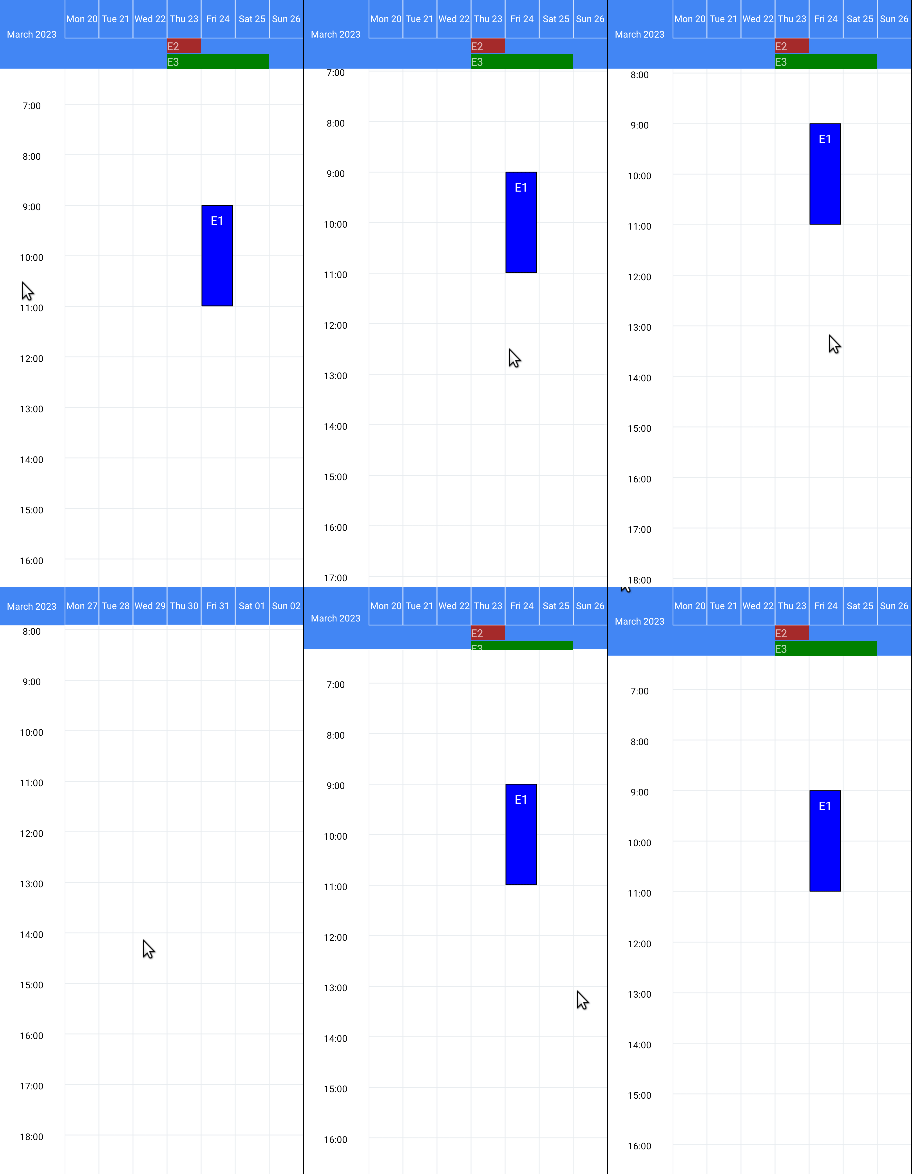
<WeekView
  events={[
    {
      id: 1,
      startDate: new Date(2023, 2, 24, 9),
      endDate: new Date(2023, 2, 24, 11),
      color: 'blue',
      description: 'E1',
    },
    {
      id: 2,
      startDate: new Date(2023, 2, 23),
      endDate: new Date(2023, 2, 23),
      color: 'brown',
      description: 'E2',
      allDay: true,
    },
    {
      id: 3,
      startDate: new Date(2023, 2, 23),
      endDate: new Date(2023, 2, 25),
      color: 'green',
      description: 'E3',
      allDay: true,
    },
  ]}
/>